Web App / CMS Automation
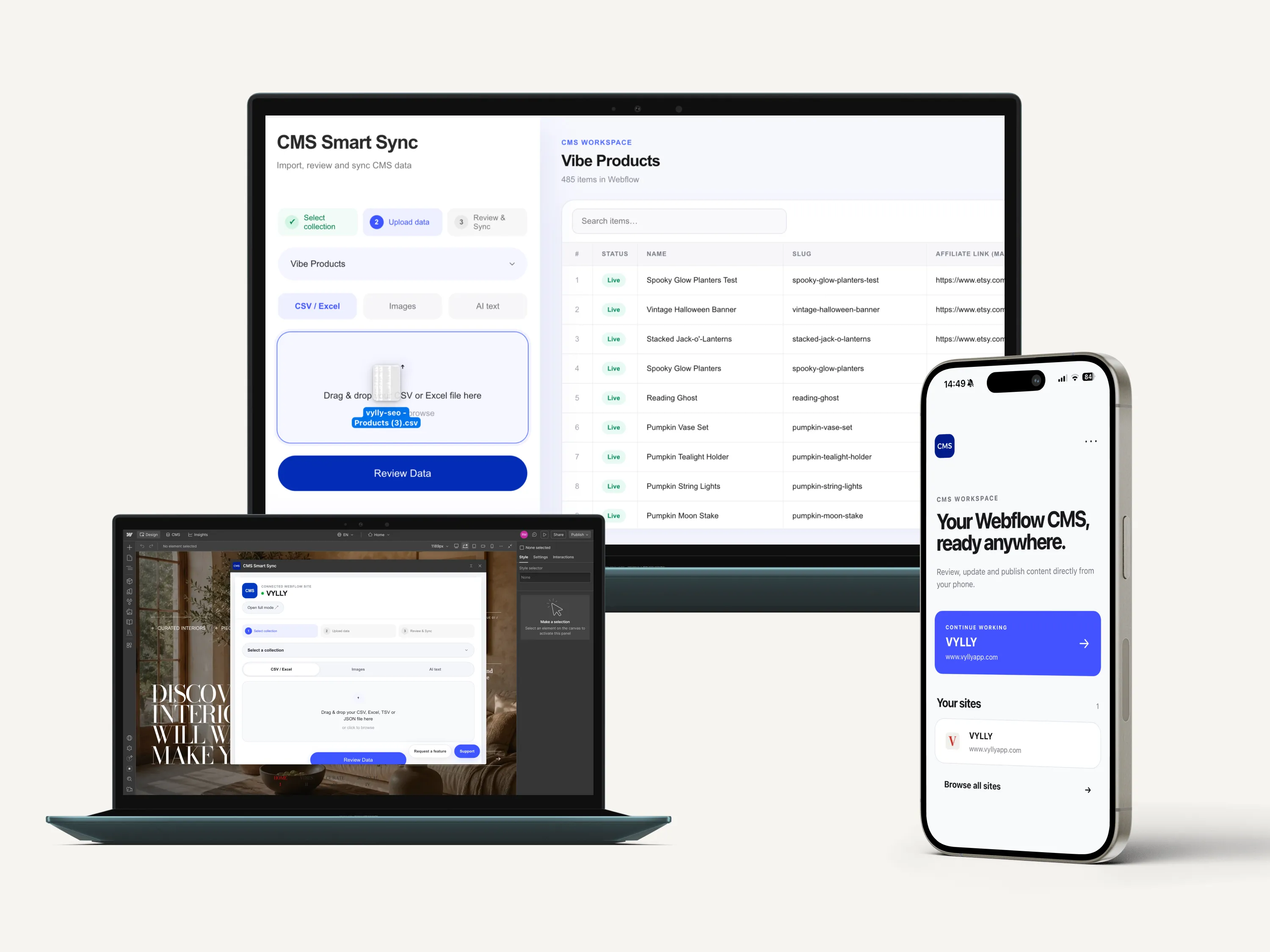
I designed and developed Smart Sync CMS as a working web application for bulk content operations, structured data processing and API-driven synchronization.
The product brings data import, field mapping, validation, review, editing, publishing, mobile management and ongoing monitoring into one controlled workflow.
Webflow is the connected CMS layer. The product itself is the system that manages the logic around the data.
THE PROBLEM
Managing a few CMS items manually is simple. Managing hundreds of existing items, images, references, localized fields and repeated content updates is not. A task like adding SEO data to 500 products, replacing descriptions, importing new records or updating images quickly becomes a larger data operation. And the difficult part isn't simply making the change. It's knowing which existing items will be updated, which new items will be created, whether incoming data matches the CMS correctly, where errors exist and what will actually happen before anything reaches the live collection. Automation can make the process faster, but speed without visibility creates another problem: losing control over the data. I wanted to solve both.
THE PRODUCT
Smart Sync turns fragmented CMS tasks into one workflow:
Import / Create → Map → Validate → Review & Edit → Sync → Monitor
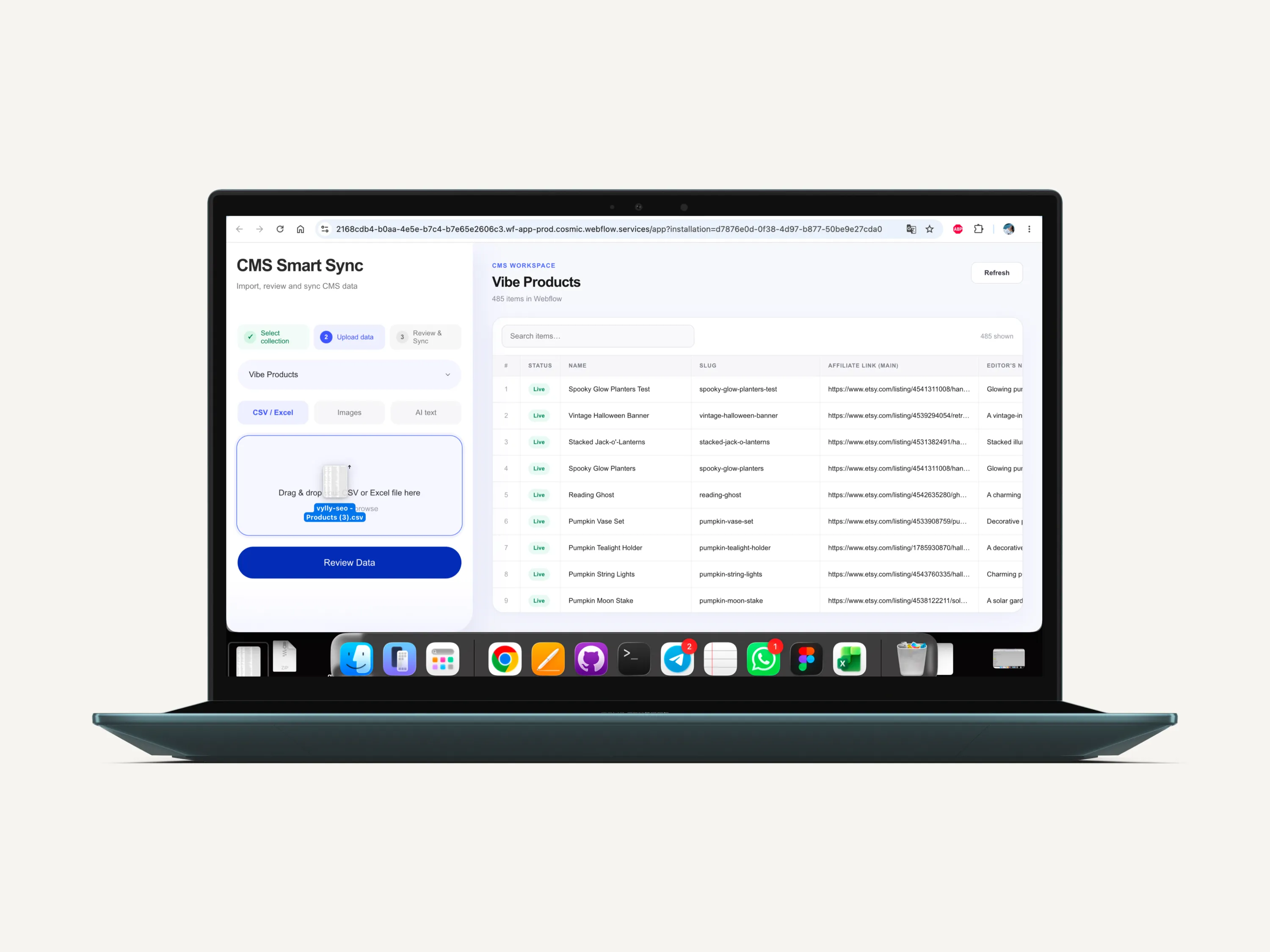
The application reads the existing Webflow collection first and compares it with incoming data. It determines what should be created or updated, maps data to the correct fields, validates it and exposes the complete operation to the user before anything is written back to Webflow. Automation handles repetitive work. The user keeps control of the final result.
SYSTEM ARCHITECTURE
Smart Sync is built around an API-driven application workflow rather than a collection of isolated CMS actions. The system coordinates several layers:
Data ingestion - CSV, Excel, TSV, JSON, AI-generated content and manually prepared data.
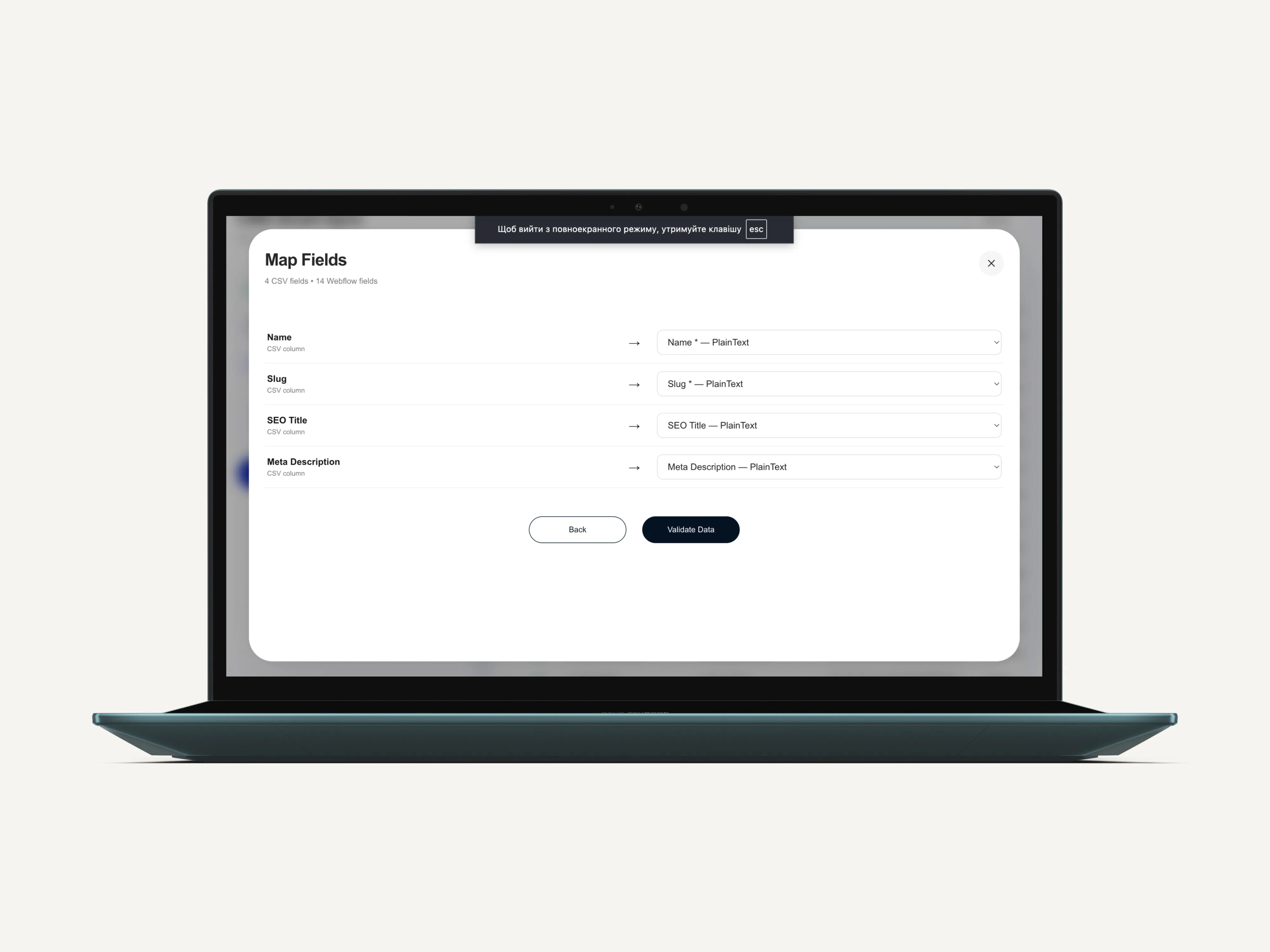
Schema detection and mapping - incoming values are connected to the correct collection fields before any write operation happens.
Application logic - the product determines which records already exist, what should be updated, what should be created and which values need attention.
Validation - incoming data is checked before synchronization so errors and warnings can be surfaced before they reach the live collection.
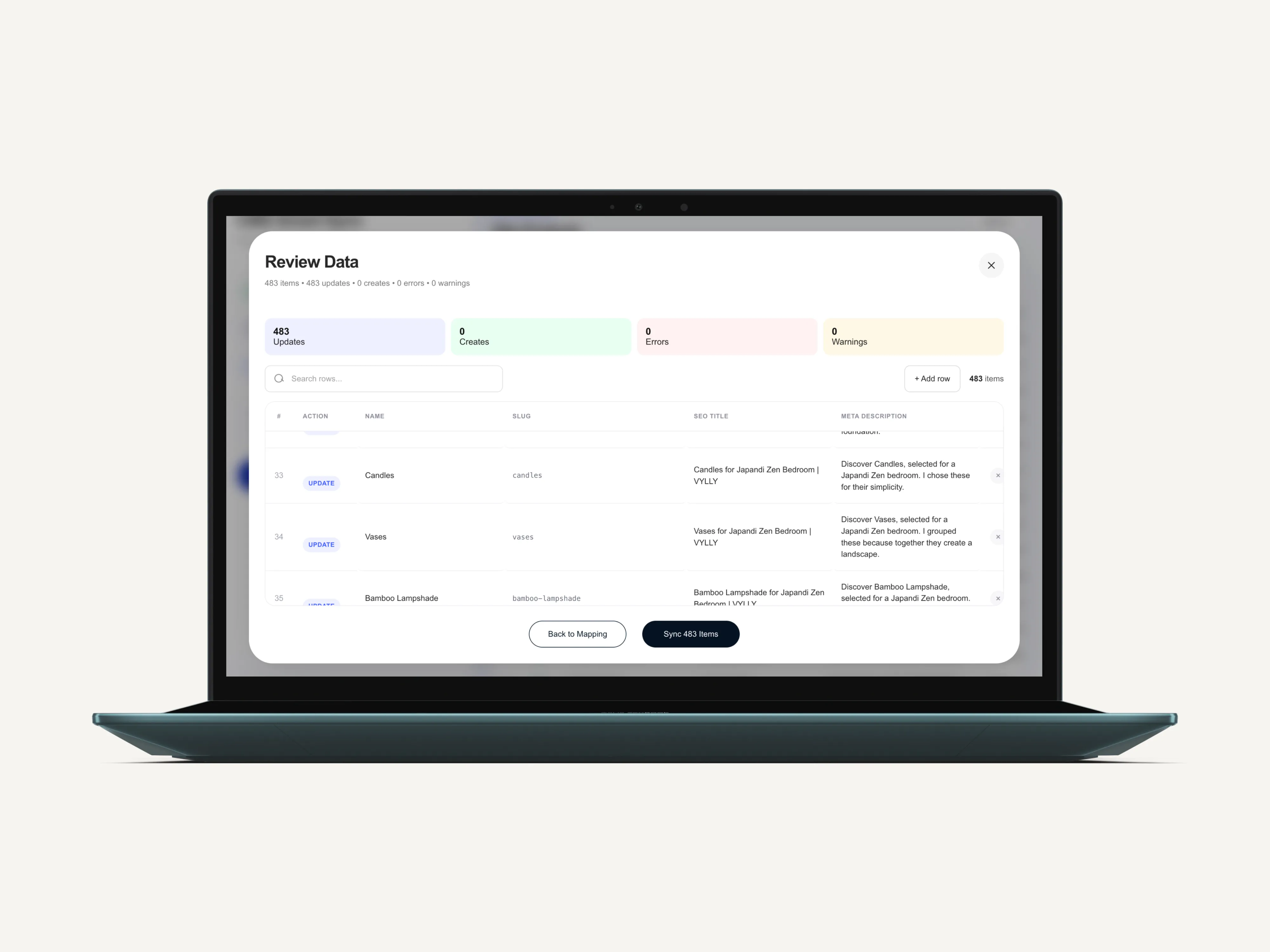
Review state - creates, updates, warnings and errors are exposed in an editable interface instead of being hidden inside an automated process.
API synchronization - approved changes are written back through the Webflow API using create, update, publish and localization workflows.
Relational content handling - images, Reference and Multi-reference fields, localized content and existing-item relationships are processed as part of the same workflow.
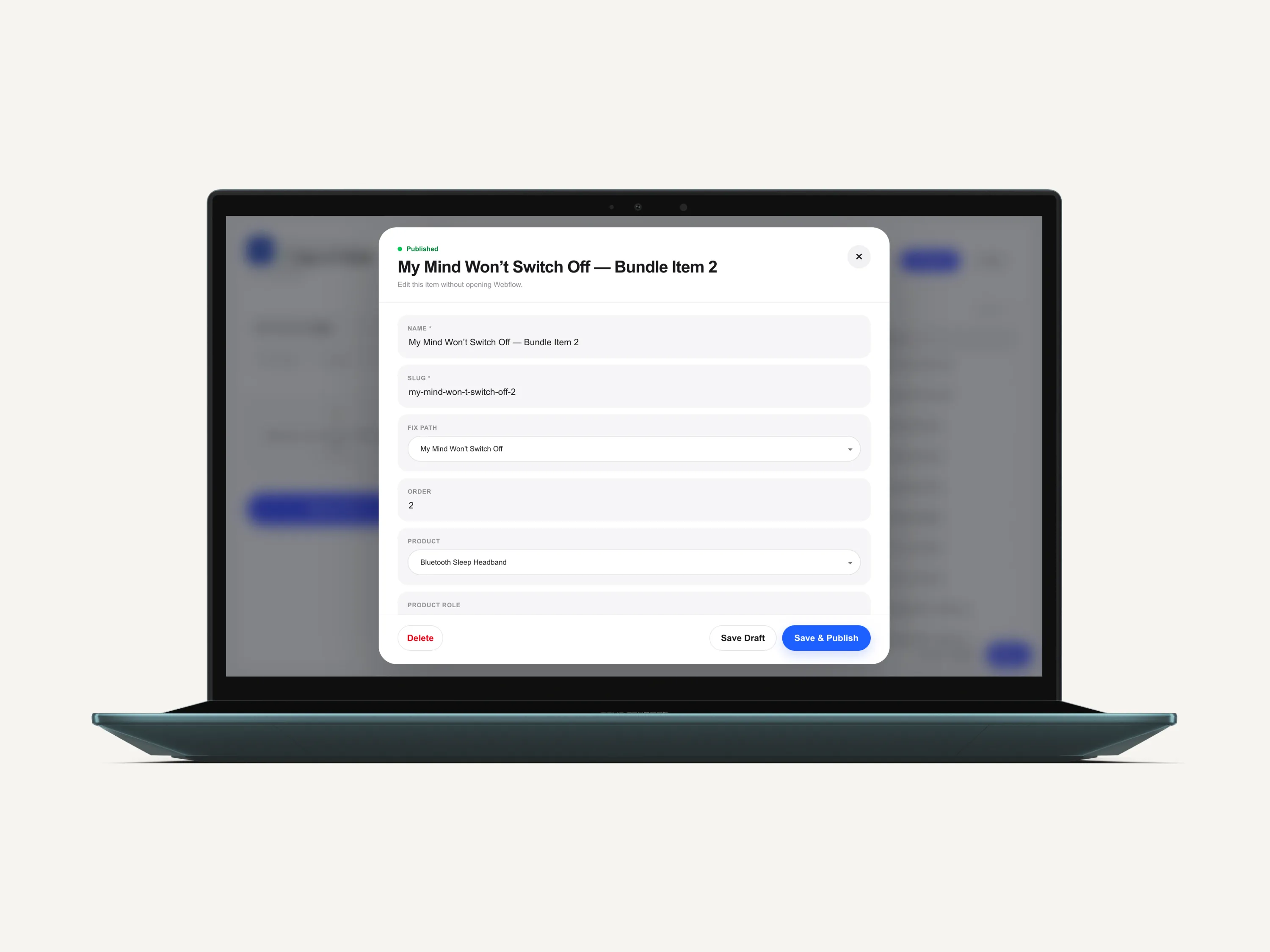
Mobile application layer - the PWA extends the same system to phone-based CMS management, uploads and publishing.

The architecture follows a simple principle:
Input → Structure → Match → Validate → Review → Approve → API Sync → Monitor
That pattern is not specific to one CMS task. It is the application logic behind the product.
ONE WORKSPACE FOR THE CMS WORKFLOW
Smart Sync grew beyond the original bulk-import problem into a complete CMS workspace. Users can manage large data operations and individual CMS items from the same product. Structured data can be imported from CSV, Excel, TSV or JSON and mapped to existing Webflow fields. Existing records can be matched and updated without replacing the rest of the collection, while new records are detected and prepared separately. That means the same workflow can handle a single field update across hundreds of existing products or populate an entirely new collection.
REVIEW BEFORE SYNC
The review layer became one of the core parts of the product. Before synchronization, Smart Sync separates the operation into:
Updates · Creates · Errors · Warnings
Users can inspect what the system recognized before approving anything. And review isn't read-only. Individual values can be corrected directly in the table before sync, allowing a large automated operation to still include precise manual intervention.
Instead of: “Run it and see what happened.” the workflow becomes: “See what will happen, fix what needs attention, then approve it.
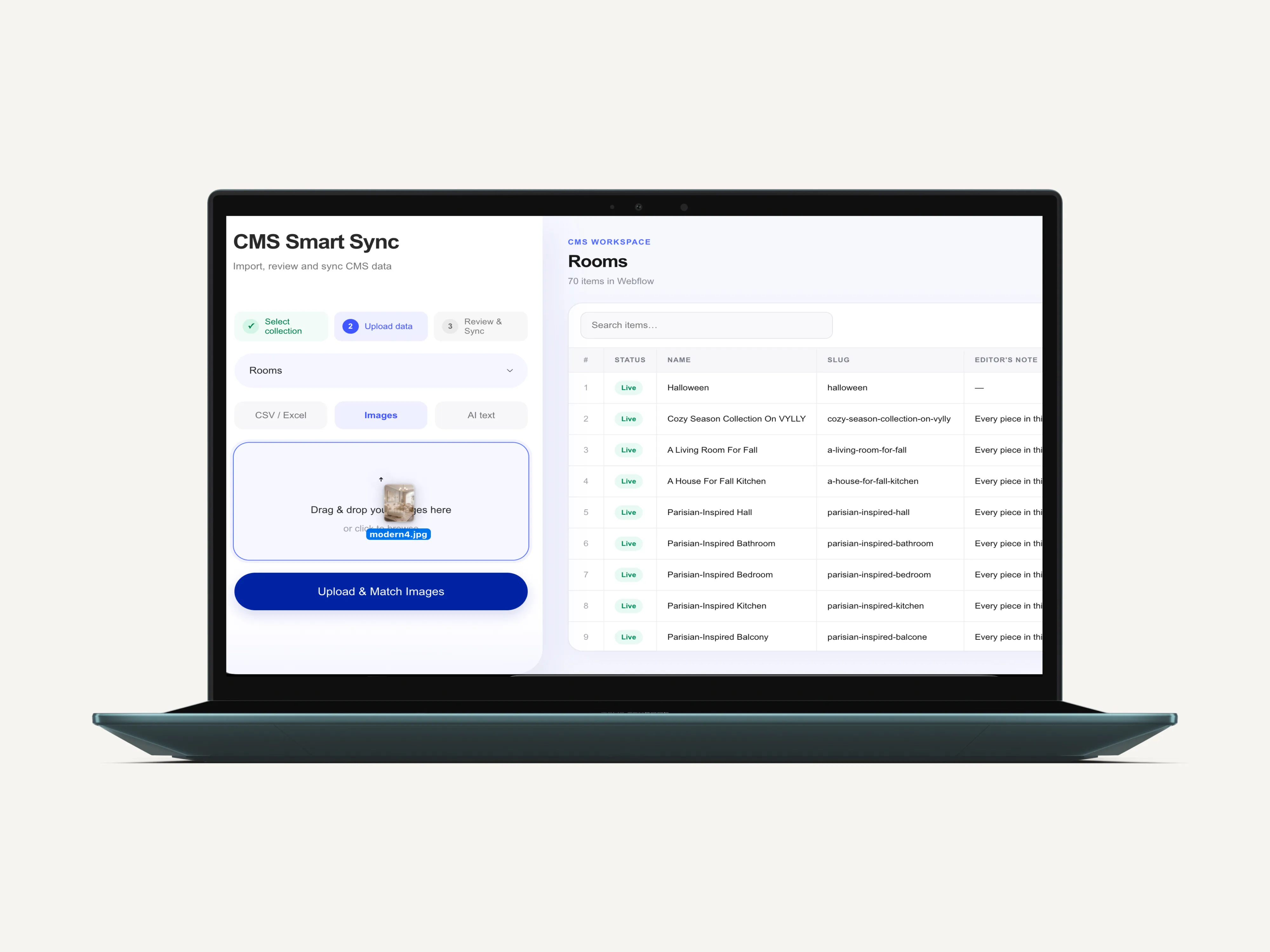
BULK IMAGE IMPORT & AUTOMATIC MAPPING
Smart Sync also handles large image batches alongside CMS data.
I tested the workflow with 300 images at once.
Images can be mapped automatically when file names follow the CMS field structure, for example:product-name-main-imageproduct-name-gallery
The system can also fall back to manual mapping when naming is inconsistent.
This makes it possible to prepare hundreds of CMS items and their media in one workflow instead of uploading images item by item.
LOCALIZATION WORKFLOWS
Localization is handled directly inside Smart Sync.
Content can be prepared and updated across multiple locales, including both text and images. This means a user can import localized content in bulk or open an individual item and make a locale-specific change without returning to the CMS interface.
The publishing flow also respects locale-specific states, so localized items can be updated and published independently.
FULL ITEM MANAGEMENT INSIDE THE APP
Smart Sync is not limited to imports.
Users can search existing CMS items, open an item, edit individual fields, update images, change localized content, and manage item status directly inside the app.
Items can be moved between draft and live states, updated one by one, or deleted without switching back to the native CMS interface.
AI AS PART OF THE WORKFLOW
Not all CMS content arrives in a spreadsheet. Smart Sync includes an AI-assisted workflow that can take unstructured content and prepare it for structured CMS fields. But AI doesn't bypass the rest of the system.
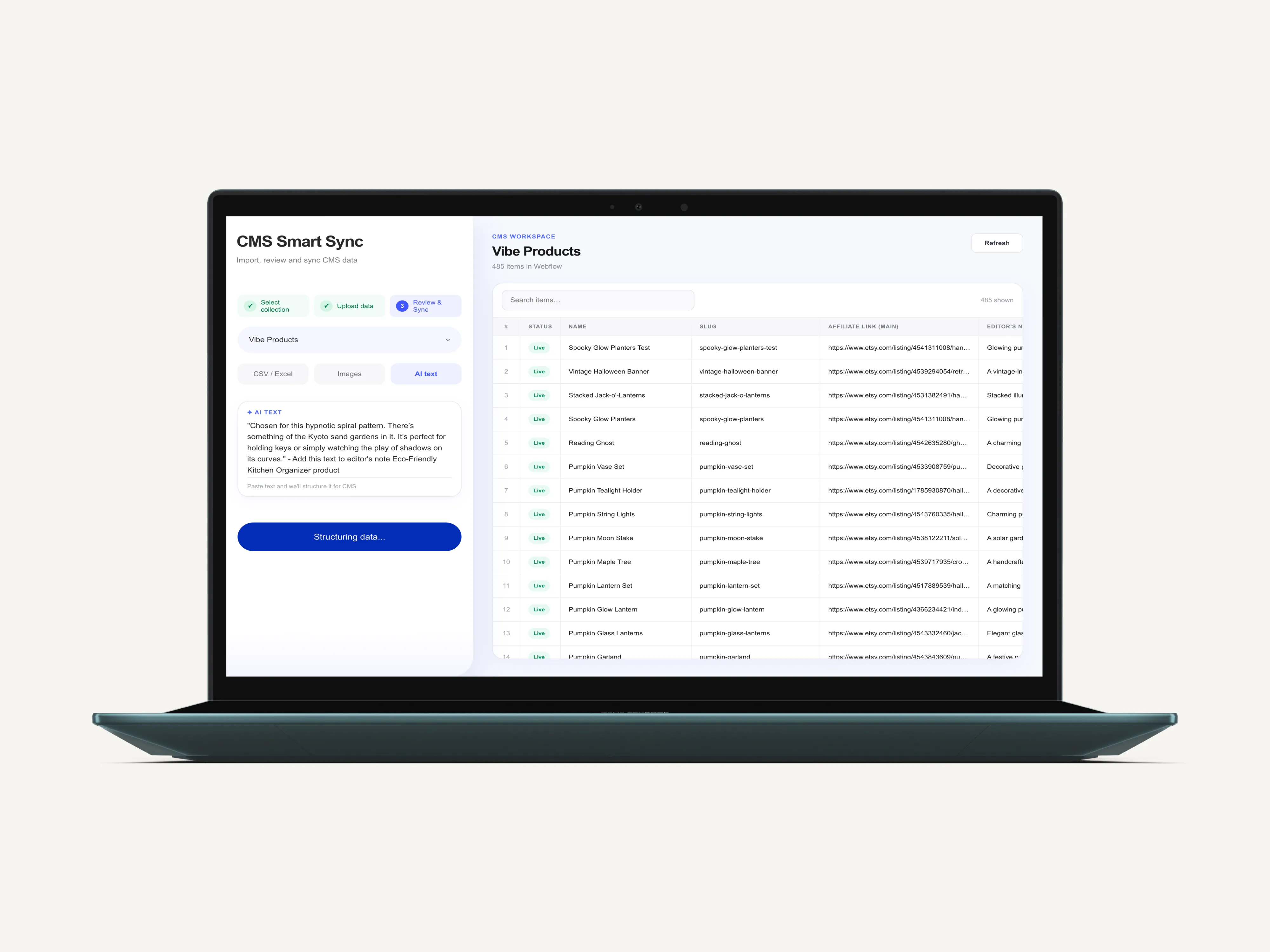
AI prepares → Smart Sync structures and validates → User reviews → CMS changes
The same principle applies whether the source is AI-generated content, a spreadsheet or manually prepared data. AI becomes another input method rather than an uncontrolled layer writing directly into the CMS.
COMPLEX CMS DATA
Real CMS structures contain more than text. I built workflows for images, Reference and Multi-reference fields and localized content so the application could work with complex Webflow collections rather than only simple flat datasets. Images can be handled alongside the rest of the CMS operation instead of becoming a separate manual task. Reference relationships can be maintained when data is imported or edited. Localized content can be managed while preserving the same validation and review workflow.
THE CMS WORKFLOW - NOW IN YOUR POCKET
I extended Smart Sync into a dedicated mobile PWA so CMS management isn't tied to the Webflow Designer or a desktop computer. Users can access connected Webflow sites, open collections, browse CMS items and work with real content directly from their phone. The mobile workspace supports creating and editing CMS items, publishing and draft states, CMS fields, references, images, Data Import, AI Text and bulk image workflows. Photos can be uploaded directly from the phone. Smart Sync can also be added to the phone's home screen and opened like an app. The mobile experience wasn't designed by simply shrinking the desktop interface. I designed a dedicated workflow around the actions that make sense when managing CMS content from a phone.

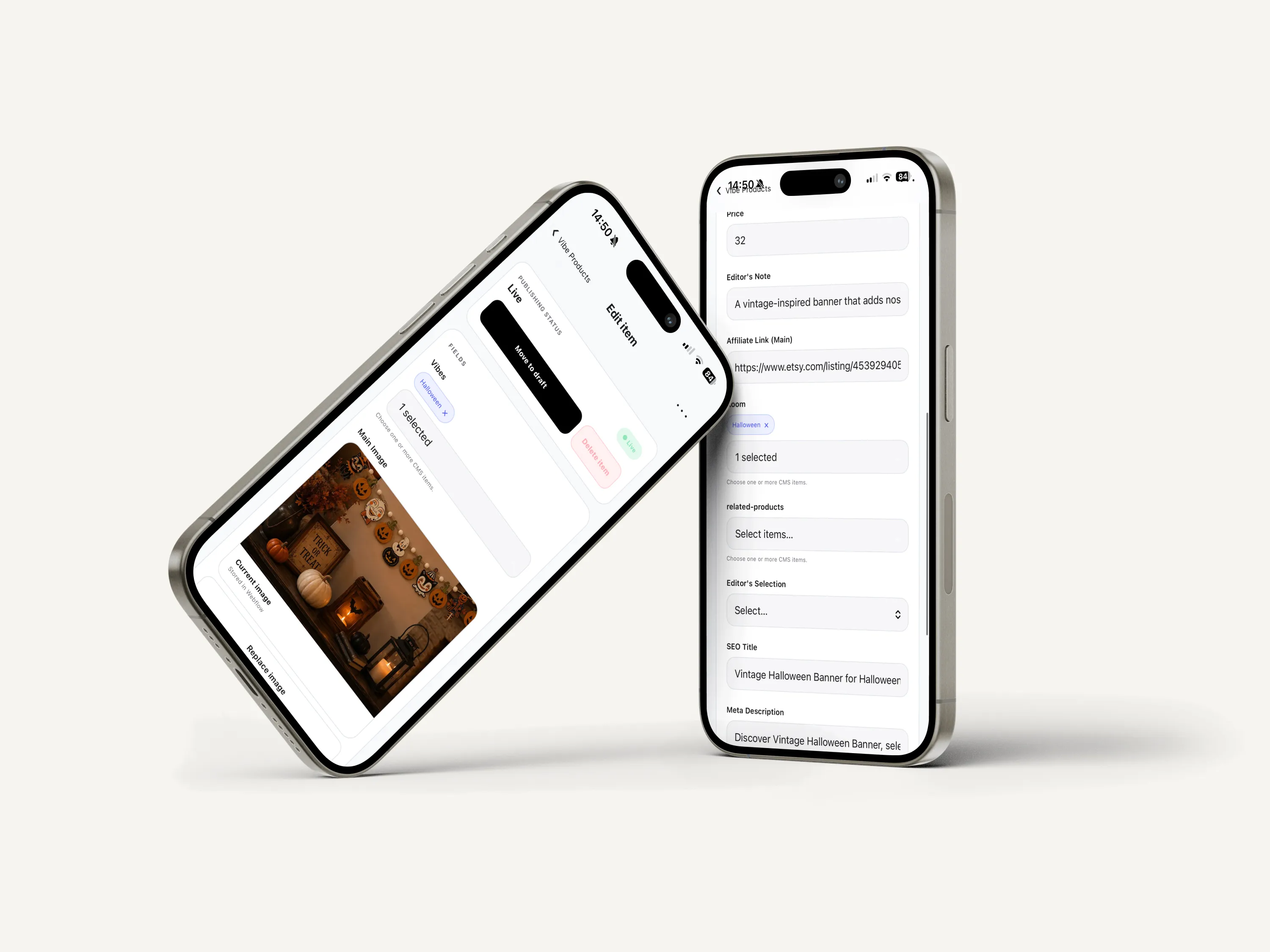
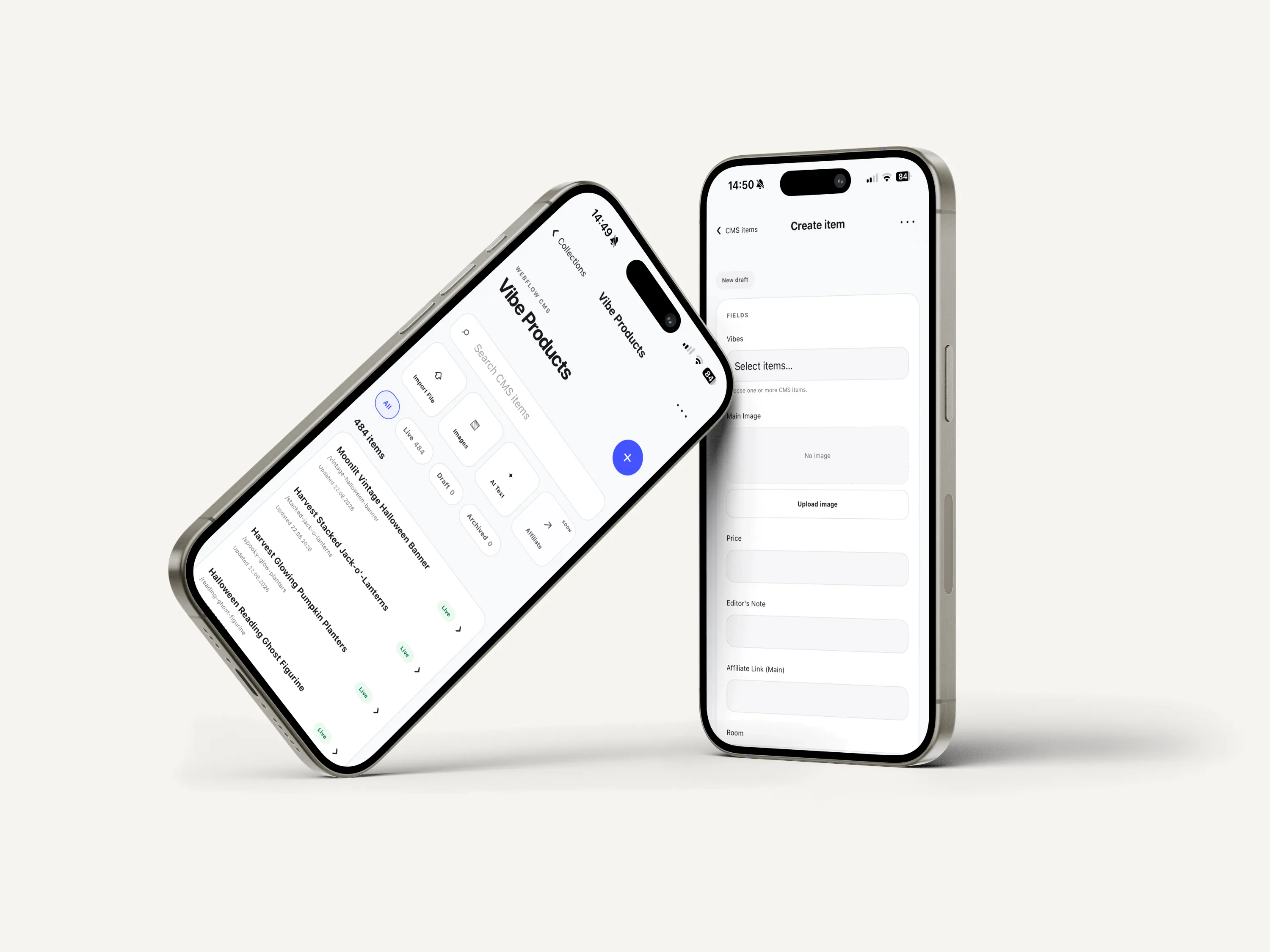
One CMS system. Individual edits, bulk operations and automated workflows - from desktop or mobile.
POST-PUBLISH MONITORING & MAINTENANCE
For affiliate-driven projects, CMS management doesn't stop when content goes live. Products become unavailable, listings disappear, and affiliate links stop working. I built an Affiliate Link Checker that monitors product links, detects unavailable or broken listings, and flags content that needs review or replacement. This extends Smart Sync from publishing workflows into ongoing content monitoring and maintenance.
BUILT END-TO-END
I designed and developed the product independently, from product architecture and UX/UI to application logic, data workflows, API integration and mobile product flows. The system combines structured data ingestion, schema detection, existing-record matching, create/update logic, field mapping, validation, editable review states, relational content, images, localization, AI-assisted processing, API synchronization, mobile workflows and affiliate monitoring. Webflow provides the connected CMS and API environment, but the main engineering work sits in the product layer around it: deciding how data moves through the system, how operations are validated, how state is exposed to the user and how approved changes are synchronized safely. The full application codebase is maintained in a private GitHub repository, with 109+ commits during development.
REAL-WORLD PROOF
Smart Sync was tested on a real Webflow CMS operation involving:
483 CMS items updated in one controlled sync.

The point wasn't simply to prove that an API could process hundreds of requests. The complete workflow had to work: reading existing data, matching records, preparing changes, validating them, reviewing the operation and synchronizing the final result. Smart Sync started as a solution to a repeated data-management problem inside content-heavy projects. Instead of building another project-specific workaround, I turned the workflow into a reusable software product with its own application logic, validation layer, review state, API synchronization and mobile experience. The CMS can change.
The core product pattern remains the same: move complex data through a controlled system without giving up visibility or user control. STATUS Submitted to the Webflow Marketplace · August 2026